Reports
AIVA provides a built-in report generation system for creating structured clinical and research reports. Reports pull together your analysis findings (flagged variants, comments, classifications, and AI-generated summaries) into a polished document suitable for clinical review, research documentation, or patient communication.
Key features:
- Custom HTML templates: upload your own templates to match your organization's report format
- AI Auto-Fill: let AIVA generate report content based on your sample data and analysis findings
- Rich text editor: edit and refine reports before exporting
- Export to HTML: download completed reports for sharing or archival
Report workflow
A typical report workflow in AIVA follows these stages:
- Select your sample: Choose the sample you want to create a report for from the sample list on the left side panel.
- Extract flagged variants: Selecting the sample will pull in all flagged variants and their associated data, including ACMG classifications.
- Create a report: Choose a template and either fill it in manually or use AI Auto-Fill.
- Review and edit: Refine the content in the rich text editor.
- Export: Download the final report as HTML.
Creating a report
There are two ways to create a report in AIVA:
Manual entry
Upload your own HTML template and manually fill in the report content using the rich text editor. A generic template is available for testing.
- Navigate to Reports
- Click Use template or select an existing template (upload your own HTML template).
- Fill in the report sections using the editor.
- Edit and review your content.
- Click Export to download the report as HTML.
AI Auto-Fill
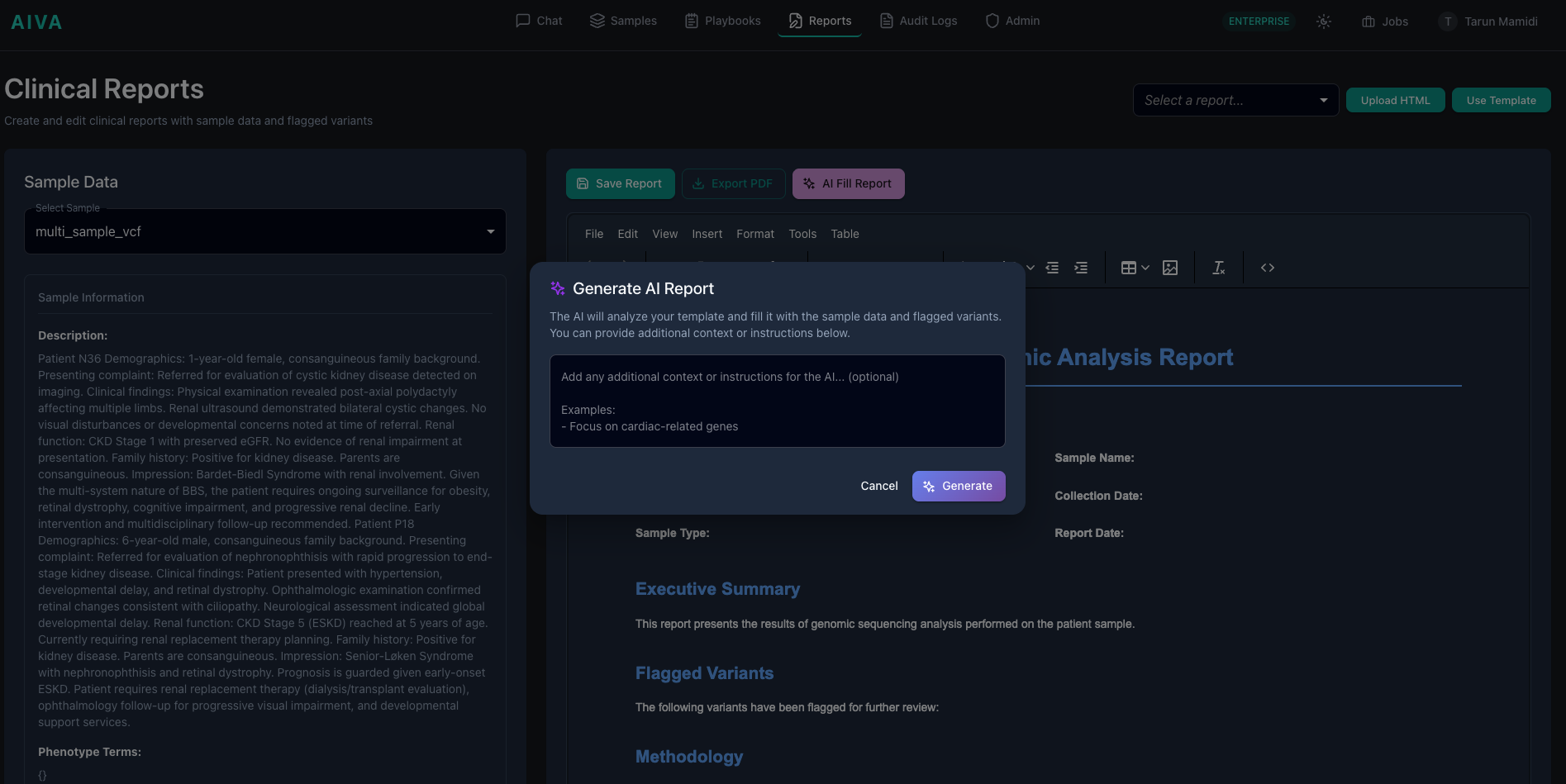
Let AIVA generate a report automatically based on your sample data, flagged variants, comments, and classifications.
- Navigate to Reports
- Click Use template or select an existing template (upload your own HTML template).
- Click AI Fill Report to open the Generate AI Report dialog. Optionally add context or instructions (e.g., "Focus on cardiac-related genes") to guide the AI.
- Review and edit the generated content as needed.
- Click Export to download the report as HTML.
Clinical responsibility
AI Auto-Fill is a productivity tool, not a substitute for clinical expertise. Always review AI-generated content before finalizing, especially for clinical reports. The signing clinician or researcher is responsible for the accuracy and completeness of the final report.